Revit Architecture
The complete architectural BIM workflow in Autodesk Revit — project setup, modeling, families, documentation, schedules, worksharing and live projects.
View DetailsRCC, structural steel and PEB modeling in Revit Structure — reinforcement and BBS detailing, analytical workflow, documentation, coordination and live projects.
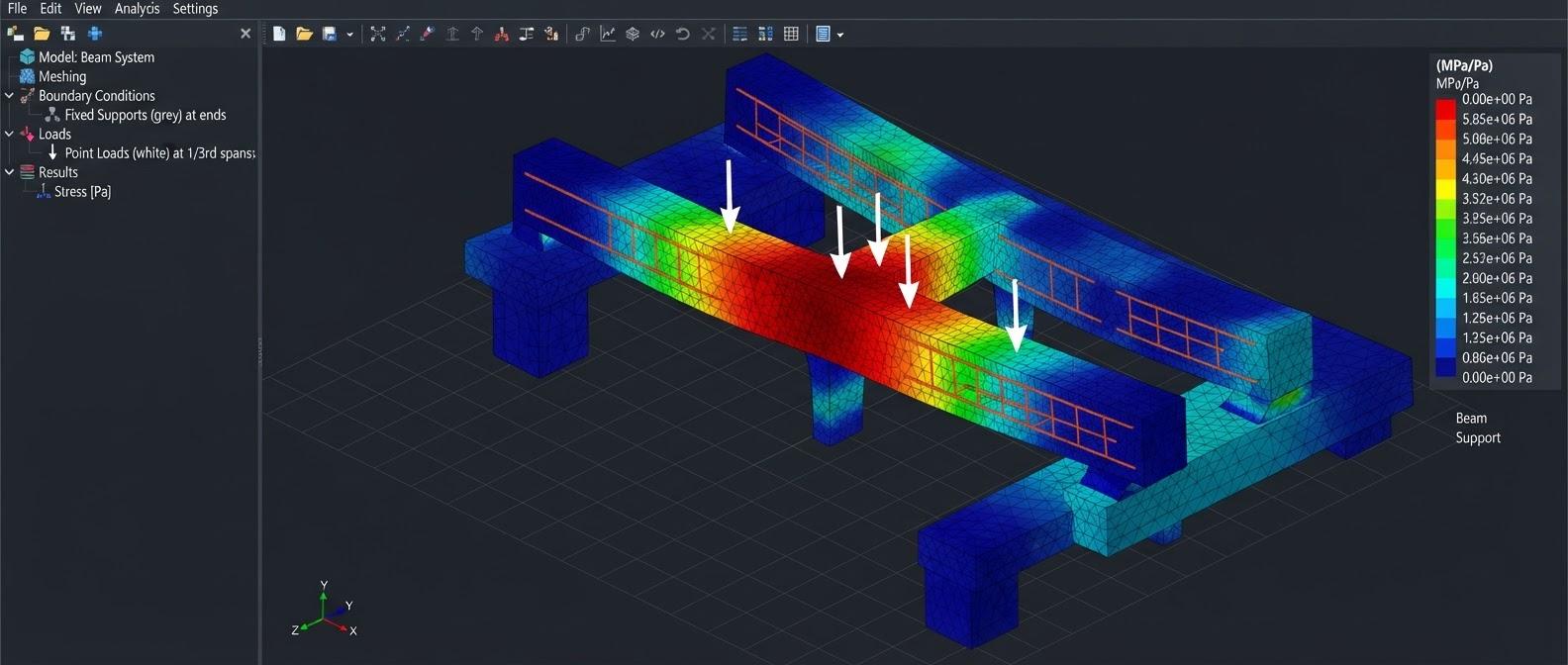
A 2-month professional course covering the complete structural BIM workflow in Autodesk Revit. You model RCC and steel columns, beams, framing, slabs, foundations, shear walls, stairs and openings, then move into reinforcement: rebar for beams, slabs, columns and footings, rebar sets, bar marks, schedules and a BBS-oriented detailing workflow. The course also covers structural steel and connections, pre-engineered buildings (PEB), the analytical model, structural schedules, documentation and sheets, families and parameters, and team coordination through linking, Copy/Monitor and worksharing. Two live projects — an RCC multi-storey building and a PEB/industrial steel building — bring everything together, followed by interview preparation and portfolio development.
BIM for structural engineering, model information, LOD concepts, structural deliverables and the workflow from drawings to coordinated construction documentation.
Revit Structure interface, Project Browser, Properties, units, structural settings, templates, project information and disciplined file setup.
Create and manage levels, grids and reference planes that control columns, beams, slabs, foundations and structural documentation.
Model concrete and steel columns with correct sizes, offsets, constraints, orientation, types and schedule-ready information.
Create beams, framing layouts, offsets, slopes and framing systems while maintaining clean structural intent.
Develop repetitive framing, joists and secondary members using controlled spacing and layout methods.
Model structural slabs, openings, slopes and edge conditions while separating structural elements from architectural finishes.
Model isolated, strip, combined and raft/mat foundation concepts with levels, offsets, plans, sections and structural documentation.
Coordinate columns with footings, foundation plans, sections, starter bars and structural detailing information.
Model structural walls, cores, openings and shear-wall elements with clean joins and coordinated documentation.
Handle structural stairs, ramps, shafts and openings so the structural model coordinates with architectural requirements.
Understand reinforcement hosts, cover, bar shapes, sizes, constraints, spacing, layouts and practical reinforcement modeling.
Model main bars, top/bottom reinforcement, stirrups, distribution bars and typical beam/slab detailing conditions.
Create longitudinal bars, ties, footing reinforcement and starter bars with practical cover and spacing control.
Rebar sets, arrays, varying layouts, area/path reinforcement concepts and efficient modeling of repetitive reinforcement.
Manage bar marks, tags, quantities, lengths, shapes and reinforcement schedules for detailing-oriented documentation.
Prepare reinforcement views and bar-bending-schedule-oriented information for structural detailing and fabrication communication.
Model steel columns, beams, braces, trusses, plates and framing with correct profiles, orientation, offsets and information.
Understand connection modeling concepts, plates, bolts and connection documentation within a structural BIM workflow.
Model PEB primary frames, rafters, columns, bracing, purlins, girts, roof framing and coordinated structural documentation.
Understand analytical members, nodes, alignment and analytical consistency, and how the BIM model supports analysis-oriented workflows.
Create schedules for columns, beams, foundations, steel members and reinforcement with sorting, filtering, grouping and calculated values.
Produce foundation plans, framing plans, sections, elevations, details, annotations, tags, dimensions, sheets and revisions.
Understand structural families, type/instance parameters, shared parameters, nested content and reusable structural components.
Link DWG and Revit models, manage positioning/coordinates, reload references and maintain a clean structural host model.
Use Copy/Monitor for levels and grids, review changes and coordinate structural interfaces with architecture and other disciplines.
Collaborate tab, Worksharing, Central File, local copies, Synchronize with Central, Reload Latest, ownership, borrowing, relinquishing and worksets.
Coordinate levels, grids, columns, beams, slabs, shafts, openings, sleeves and service zones with linked architectural and MEP models.
Complete project workflow from drawing study to structural model, reinforcement/steel detailing, schedules, sheets, coordination and final issue.
Technical interviews, scenario-based BIM questions, practical modeling tests, project explanation, portfolio sheets and job-oriented presentation.
Civil and structural engineers, structural draughtspersons and civil engineering students who want to model, detail and document structures in BIM.
Students and graduates in civil engineering or a related field, and working professionals. Basic computer skills are required; familiarity with structural drawings helps.
The Revit Structure course runs for 2 months (8 weeks). The syllabus on this page lists what is covered, and you can download it as a PDF.
Yes. The course runs as classroom batches at our centre at Okhla Head, Jamia Nagar, New Delhi 110025, India, and as live online batches that follow the same syllabus.
Revit Structure is mainly a modeling, detailing and documentation tool. It maintains an analytical model alongside the physical one, and the course teaches how that model supports an analysis workflow, but the analysis and design calculations themselves are carried out in dedicated analysis software.
Yes. Reinforcement modeled in Revit carries bar marks, shapes, lengths and quantities, and these are scheduled to prepare bar-bending-schedule information. The course covers rebar for beams, slabs, columns and footings and the schedules built from it.
Compare this with our other Structural Design courses, see the training projects students work on, meet our trainers, or read the BIM training FAQs.
The complete architectural BIM workflow in Autodesk Revit — project setup, modeling, families, documentation, schedules, worksharing and live projects.
View DetailsMechanical, electrical, plumbing and fire protection BIM in Revit — discipline-wise modeling, intelligent systems, documentation, coordination and four live projects.
View DetailsProfessional BIM coordination in Navisworks Manage — federated models, search sets, clash detection and reporting, re-testing, 4D TimeLiner simulation and quantification.
View Details